The TP-Link Tri-Band BE9700 WiFi 7 Router review comes down to whether your home can use its combination of a 6 GHz band, multi-gigabit ports, and capacity for many devices.
The Archer BE600 is aimed at households with compatible WiFi 7 gear and a fast internet plan, while its wired options also give it room to support multi-gig connections.
Archer BE600 Review Summary
The quick verdict
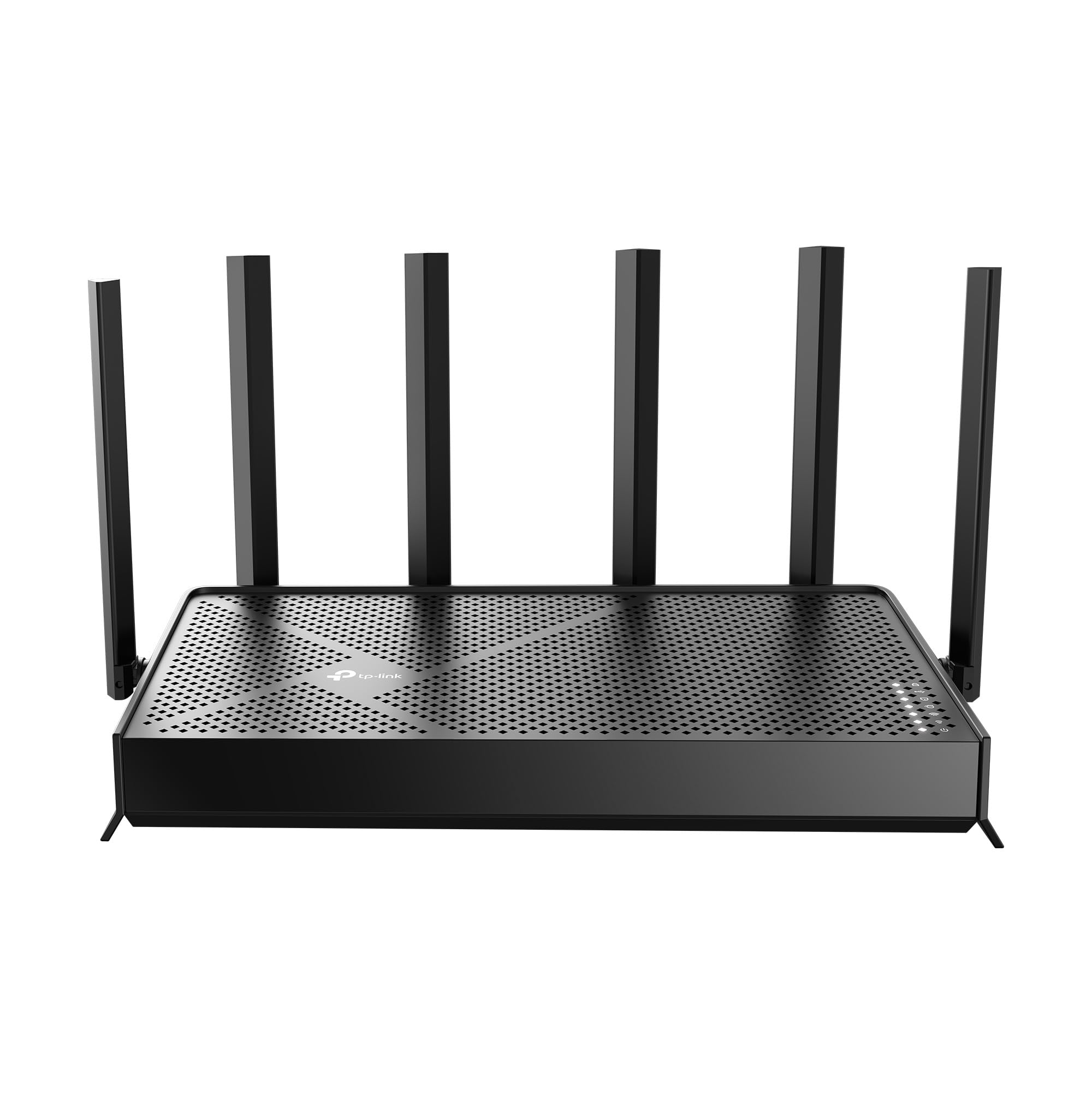
600+ ratings
Read Amazon ReviewsTP-Link Archer BE600
A fit for households ready for WiFi 7, multi-gig wired connections, and broad coverage for many connected devices.
- Tri-band WiFi 7 with maximum listed rates of 5,765 Mbps on 6 GHz, 2,882 Mbps on 5 GHz, and 1,032 Mbps on 2.4 GHz.
- WiFi 7 features include Multi-Link Operation, Multi-RUs, 4K-QAM, and support for channels up to 320 MHz.
- Five multi-gig ports: one 10 Gbps WAN/LAN port, one 2.5 Gbps WAN/LAN port, and three 2.5 Gbps LAN ports.
- Coverage is listed as up to 2,600 square feet and support for up to 120 devices, with six antennas and beamforming.

Pros
- A 6 GHz band and WiFi 7 features offer a clear upgrade path for compatible devices.
- The five multi-gig ports can accommodate fast internet service and several wired devices.
Consider before buying
- WiFi 7 and 6 GHz benefits depend on having compatible client devices; older devices cannot use every feature.
- The advertised coverage and device maximums are upper limits, so confirm that the router's placement and your home's layout suit a single-router setup.
Read the full review summary
The Archer BE600 pairs three wireless bands with a 10 Gbps WAN/LAN port, a 2.5 Gbps WAN/LAN port, and three 2.5 Gbps LAN ports.
Its advertised wireless rates reach 5,765 Mbps on 6 GHz, 2,882 Mbps on 5 GHz, and 1,032 Mbps on 2.4 GHz, with support for WiFi 7 features including Multi-Link Operation, Multi-RUs, 4K-QAM, and channels up to 320 MHz.
Its design is most compelling for a home with WiFi 7 clients, multi-gig internet or wired devices, and a need to connect many devices.
Coverage is listed as up to 2,600 square feet for up to 120 devices, but those are ceilings rather than guarantees; layout, walls, and device capabilities can affect results.
Buyers with more modest needs may not make much use of its extra bands and ports.
The buying factors
Archer BE600 Scorecard
Editorial scores reflect listed features and buyer fit; they are not laboratory measurements or customer ratings.
WiFi 7 feature set
Tri-band operation, MLO, Multi-RUs, 4K-QAM, and channels up to 320 MHz offer a broad set of current-generation features.
Wireless band flexibility
Dedicated 2.4, 5, and 6 GHz bands provide more options for assigning compatible clients and traffic.
Wired connectivity
One 10 Gbps and four 2.5 Gbps ports give multi-gig internet and wired devices several connection options.
Capacity and coverage claims
The stated ceiling of 120 devices and coverage up to 2,600 square feet suits larger, connected homes, subject to real-world conditions.
Network management and security tools
Tether app and web management accompany HomeShield features and VPN client and server support.
Value for basic needs
Its advanced wireless and port capabilities may go unused in homes with slower internet and few WiFi 7 devices.
Key Features and Specifications of Archer BE600
- Tri-band WiFi 7 with maximum listed rates of 5,765 Mbps on 6 GHz, 2,882 Mbps on 5 GHz, and 1,032 Mbps on 2.4 GHz.
- WiFi 7 features include Multi-Link Operation, Multi-RUs, 4K-QAM, and support for channels up to 320 MHz.
- Five multi-gig ports: one 10 Gbps WAN/LAN port, one 2.5 Gbps WAN/LAN port, and three 2.5 Gbps LAN ports.
- Coverage is listed as up to 2,600 square feet and support for up to 120 devices, with six antennas and beamforming.
- HomeShield includes network protection, parental controls, and IoT security features.
- VPN client and server support, with the option for home devices to use a remote VPN server without separate VPN software on each device.
- Setup and network management through the Tether app for Android or iOS, or through a web interface.
Pros and Cons of Archer BE600
Pros
- A 6 GHz band and WiFi 7 features offer a clear upgrade path for compatible devices.
- The five multi-gig ports can accommodate fast internet service and several wired devices.
- The stated capacity and coverage targets make it relevant to larger, device-heavy homes.
- App and web management, HomeShield tools, and VPN support add useful network controls.
Consider before buying
- WiFi 7 and 6 GHz benefits depend on having compatible client devices; older devices cannot use every feature.
- The advertised coverage and device maximums are upper limits, so confirm that the router's placement and your home's layout suit a single-router setup.
- Households with gigabit-or-slower service and few wired devices may not use much of the multi-gig hardware.
Who Should Buy Archer BE600?
Good fit
Consider the Archer BE600 if your home has WiFi 7 devices or you expect to add them, especially if you also want a 6 GHz band and high-capacity wired connections.
Its port mix provides options for a multi-gig internet handoff and multiple wired computers, consoles, or other equipment.
It is also a reasonable candidate for a household with many connected devices that wants built-in parental, IoT, and VPN tools.
Before buying, compare the up-to coverage figure with your floor plan and likely router location, and check that your modem or internet handoff can connect at the speed you intend to use.
Who should skip it
Skip it if your current devices, internet plan, and wired equipment do not need WiFi 7 or multi-gig links. A simpler router may cover those needs without leaving as much of this model's hardware unused.
If your home extends beyond a practical single-router coverage area, decide first whether a standalone router is the right arrangement. The stated square-footage maximum alone cannot establish coverage through your particular walls and layout.
What the Archer BE600's WiFi 7 design means for your home
Three bands and WiFi 7 clients
The 6 GHz band is the biggest reason to choose a tri-band WiFi 7 model over a basic dual-band design.
MLO, Multi-RUs, and 4K-QAM add support for newer WiFi 7 capabilities, while the 5 GHz and 2.4 GHz bands give the router additional options for devices across generations.
To benefit, check which WiFi standards your main phones, laptops, and other high-use devices support.
Multi-gig ports are a practical differentiator
The mix of one 10 Gbps port and four 2.5 Gbps ports is useful when both the internet connection and local wired devices can take advantage of faster links.
Since two ports are labeled WAN/LAN, confirm your intended modem and device layout before planning which connections will use them. The port specifications provide headroom; they do not increase the speed of a slower internet plan.
Set expectations for coverage and capacity
Six antennas and beamforming are intended to focus wireless signals toward devices, and the router's stated maximums target homes with many clients. The up-to figures should guide shortlisting, not serve as a guarantee for every floor plan.
Consider the router's location, the distance to rooms that matter, and obstacles between it and your devices.
Management and network tools
Tether app and web access give owners two ways to manage settings.
HomeShield is described as covering network protection, parental controls, and IoT security, while VPN client and server support can help households that want VPN functions at the router level.
Review which HomeShield features and VPN setup options match your needs before relying on them.
Alternatives to Archer BE600
Computer Routers alternative
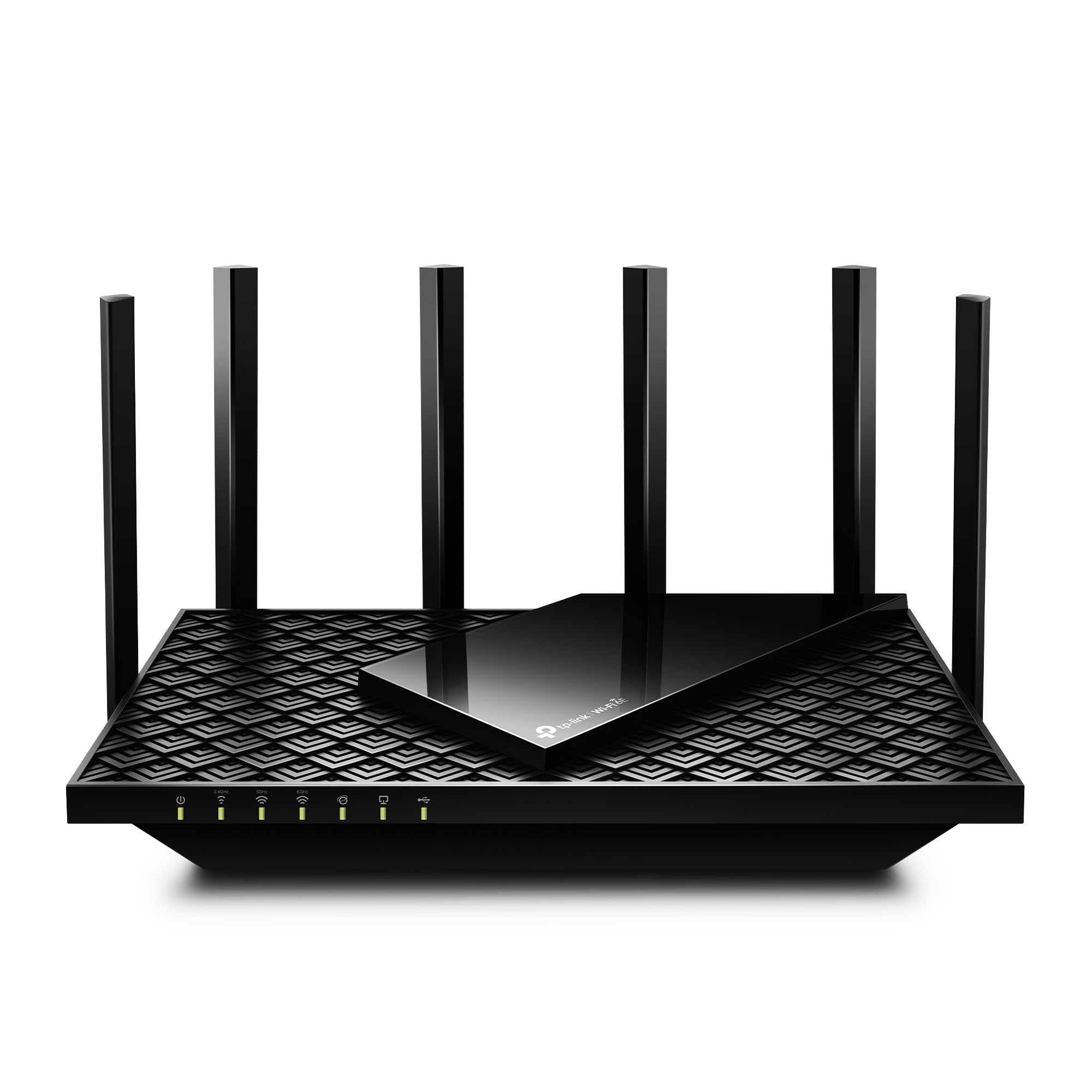
5,000+ ratings
Read Amazon ReviewsTP-Link Archer AXE75
Choose the BE600 if you want WiFi 7 features and several multi-gig wired ports. The AXE75 is a relevant alternative if WiFi 6E meets your needs and OneMesh extender compatibility is useful for extending coverage.
- The Archer AXE75 is a tri-band WiFi 6E router with a 6 GHz band, channels up to 160 MHz, a 2.5 Gbps WAN port, and OneMesh support with a compatible extender.
- The Archer BE600 offers WiFi 7 with 6 GHz, channels up to 320 MHz, and a 10 Gbps port alongside four 2.5 Gbps ports.
Computer Routers alternative
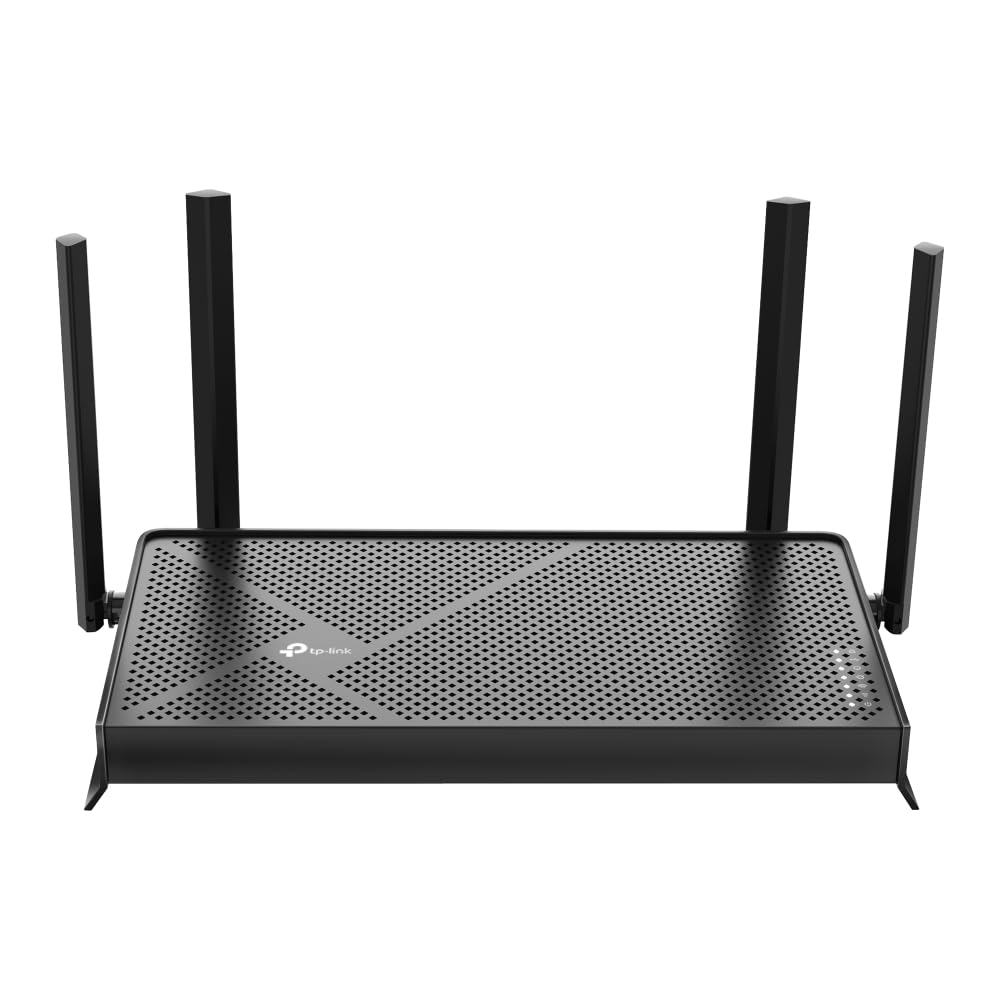
1,000+ ratings
Read Amazon ReviewsTP-Link Archer BE230
Choose the BE600 if you want a 6 GHz band, a higher stated device capacity, or more multi-gig ports.
The BE230 may fit better if dual-band WiFi 7, USB 3.0, and EasyMesh matter more than 6 GHz or a larger multi-gig port complement.
- The Archer BE230 is a dual-band WiFi 7 router without 6 GHz, with up to 2,882 Mbps on 5 GHz and 688 Mbps on 2.4 GHz.
- It has two 2.5 Gbps ports, three 1 Gbps LAN ports, a USB 3.0 port, and EasyMesh support.
- The Archer BE600 is tri-band and includes a 6 GHz band, with a stated coverage ceiling of 2,600 square feet for up to 120 devices.
Is Archer BE600 Worth It?
The TP-Link Archer BE600 is worth considering for a household ready to use WiFi 7, 6 GHz, and multi-gig wired connections. Its strongest case is the combination of tri-band wireless, many multi-gig ports, and useful network management options.
Match it to your actual internet service, compatible devices, and home layout before choosing.
If those needs are modest, the BE600's advanced hardware may be more than you will use; if they align, it offers a flexible foundation for a connected home.
Your review at a glance
600+ ratings
Read Amazon ReviewsTP-Link Archer BE600
A fit for households ready for WiFi 7, multi-gig wired connections, and broad coverage for many connected devices.
- Tri-band WiFi 7 with maximum listed rates of 5,765 Mbps on 6 GHz, 2,882 Mbps on 5 GHz, and 1,032 Mbps on 2.4 GHz.
- WiFi 7 features include Multi-Link Operation, Multi-RUs, 4K-QAM, and support for channels up to 320 MHz.
- Five multi-gig ports: one 10 Gbps WAN/LAN port, one 2.5 Gbps WAN/LAN port, and three 2.5 Gbps LAN ports.
- Coverage is listed as up to 2,600 square feet and support for up to 120 devices, with six antennas and beamforming.