The best microphones for podcasting depend on whether you want a quick USB setup, an upgrade path to XLR, or a complete desk kit. These picks cover dynamic and condenser designs, with practical differences in controls, included stands, and connection options to help match a mic to your recording space.
Quick Top Products
Samson Q2U Dynamic USB-C/XLR Microphone

- Dynamic handheld microphone with USB-C and XLR connections.
- Connects directly to a computer with a USB-C interface.
- Includes a desktop tripod, windscreen, and both cables.
Best For: Podcasters who want two connection options and a starter set of desktop accessories.

MAONO PD400X
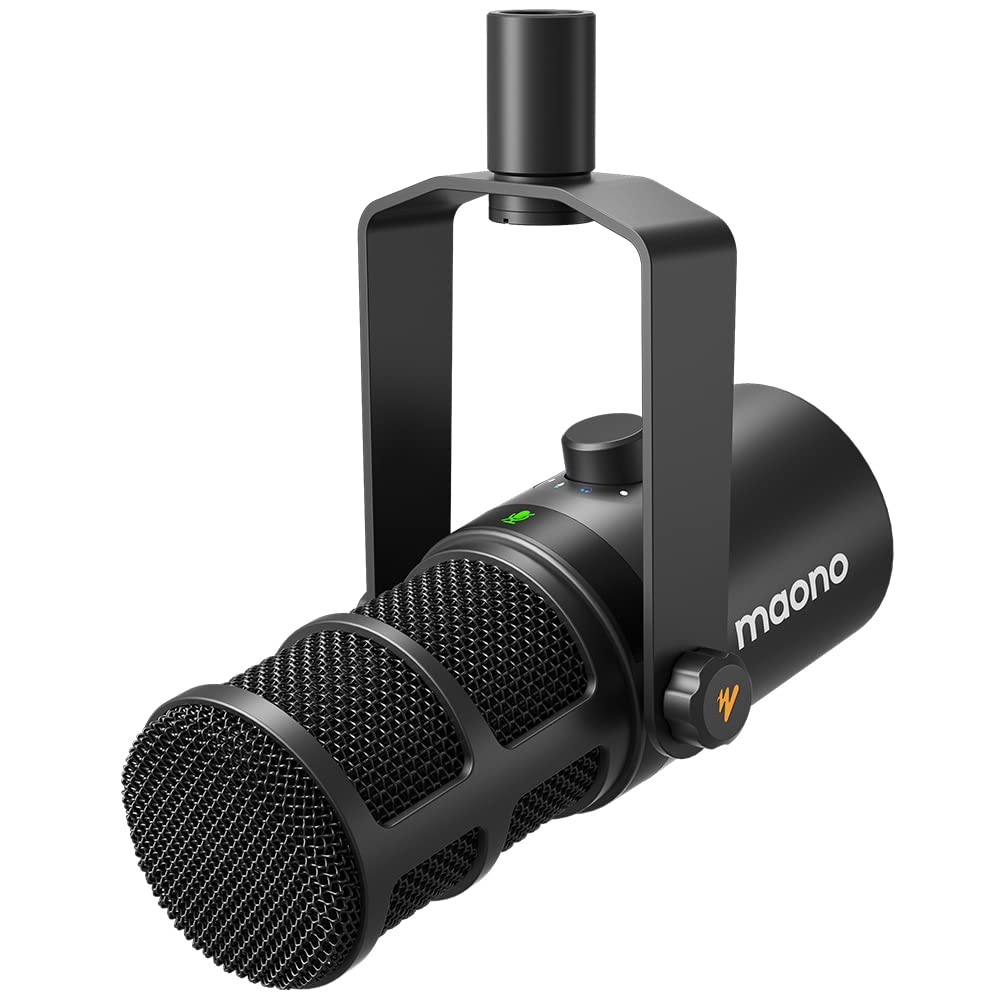
- Dynamic microphone with USB and XLR outputs.
- The app includes EQ, limiter, and compressor adjustments in Advanced Mode.
- A tap-to-mute key has an LED indicator.
Best For: Podcasters who want onboard monitoring controls and software adjustments in a dynamic mic.
MAONO PD300X
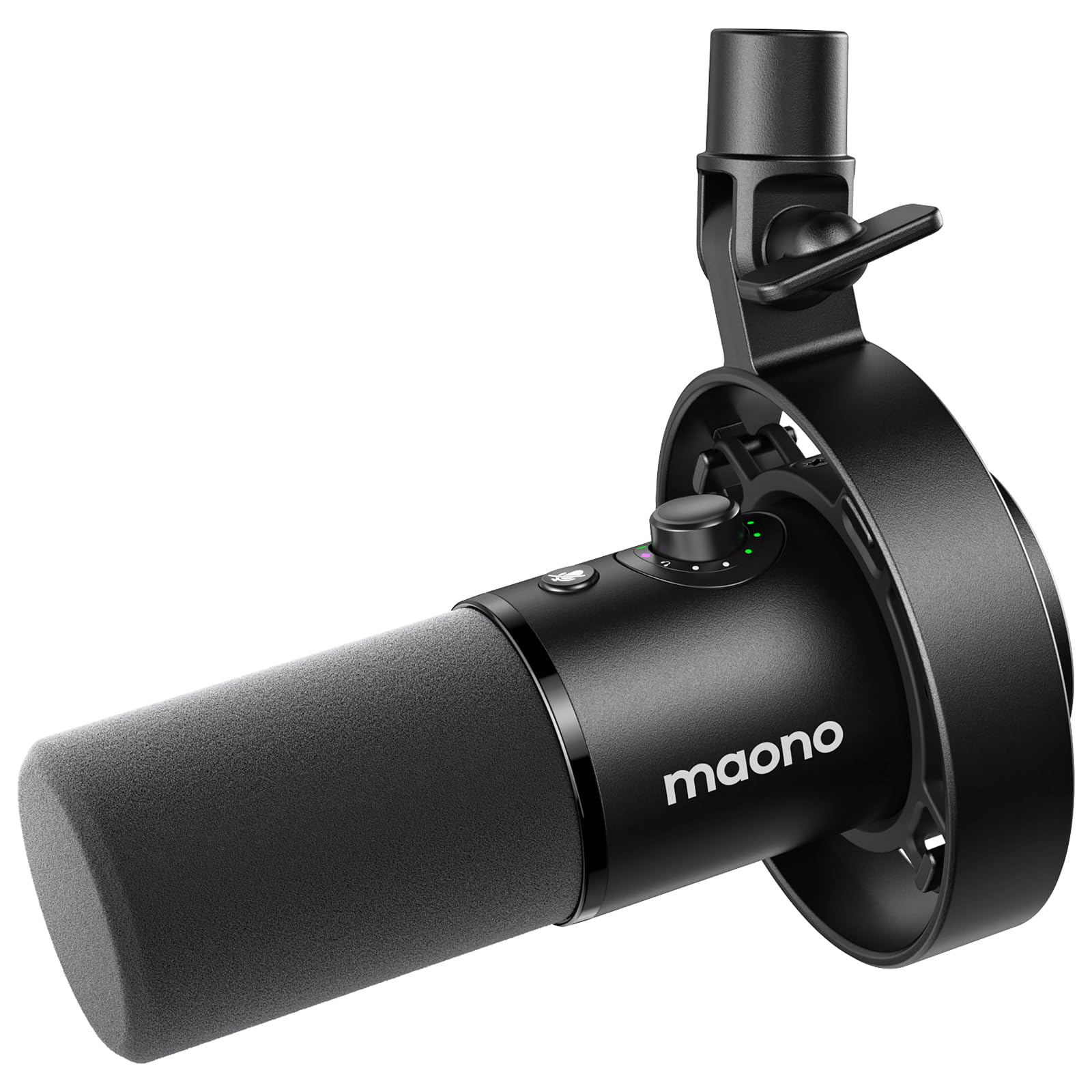
- Offers USB and XLR connection options.
- Includes four preset modes and a visual EQ panel.
- Combines gain, headphone volume, and monitoring control.
Best For: Podcasters who want selectable sound presets and adjustable processing.
MAONO PD100
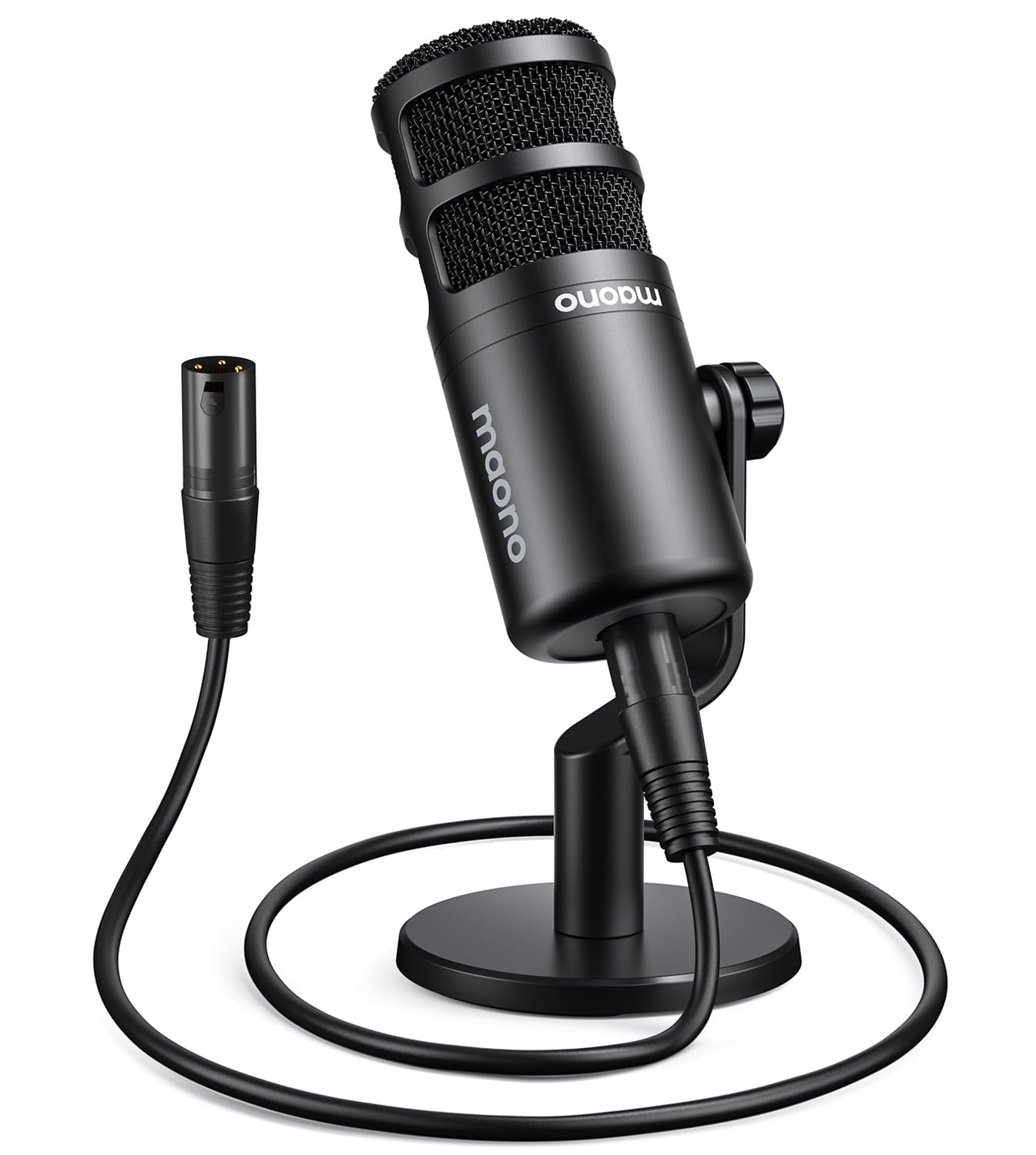
- Cardioid dynamic XLR microphone for podcasting.
- Includes a desktop stand, extender, metal base, and XLR cable.
- Uses a top-address pickup approach.
Best For: Podcasters with an XLR interface who want a desktop stand and cable in the package.
FIFINE AmpliTank K688
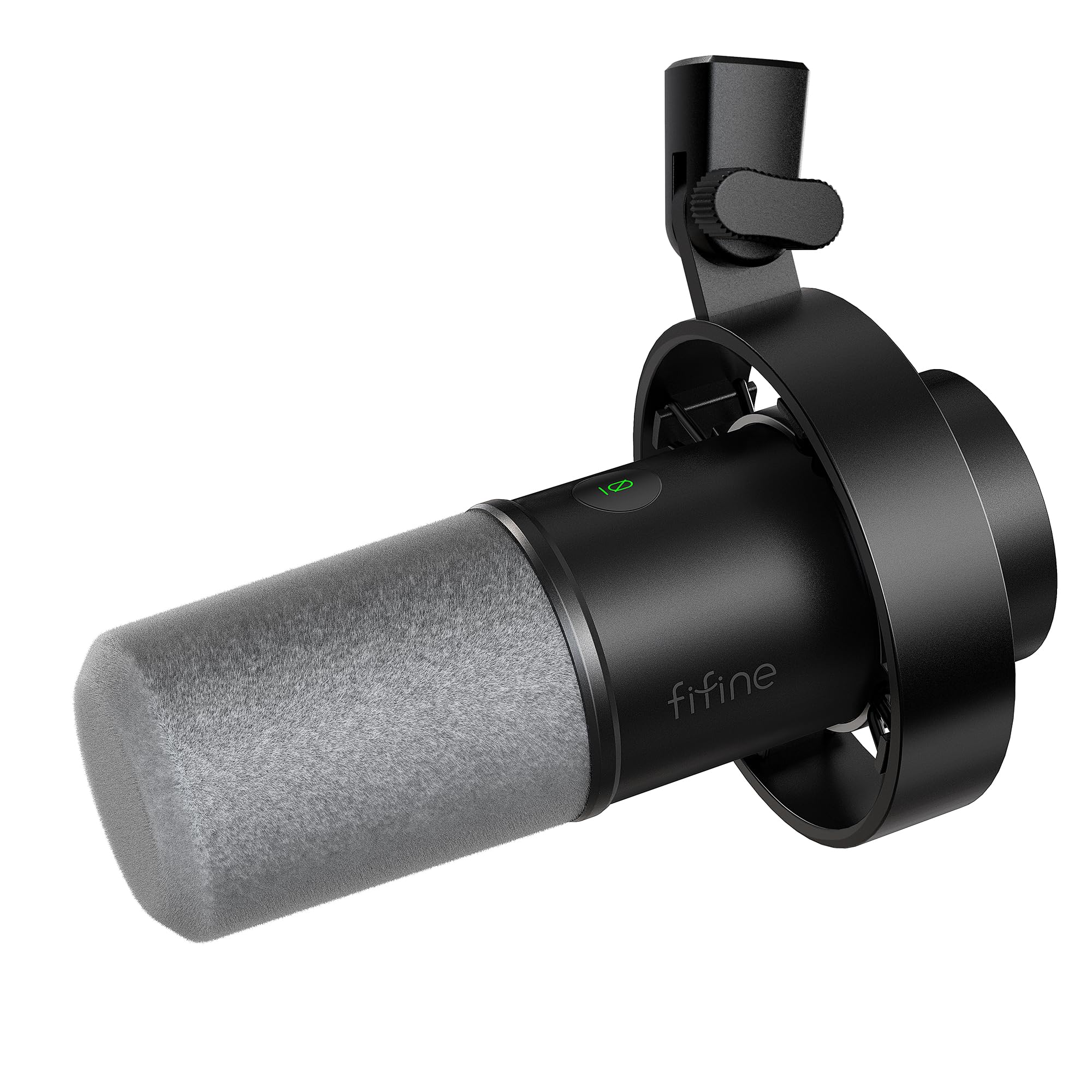
- Dynamic mic with USB and XLR connections.
- Includes a mic with shock mount and an 8.2ft USB-C to USB-A cable.
- The 8.2ft USB-C to USB-A cable is included.
Best For: Podcasters who want USB controls now and an XLR connection for a later setup.
FIFINE AmpliGame AM8 White

- Offers USB and XLR connectivity.
- USB controls include tap-to-mute, gain, and headphone volume.
- RGB lighting can be changed or turned off with a button tap.
Best For: Podcasters who want USB/XLR connectivity and convenient controls in a white desktop mic.
FIFINE AmpliGame AM8T
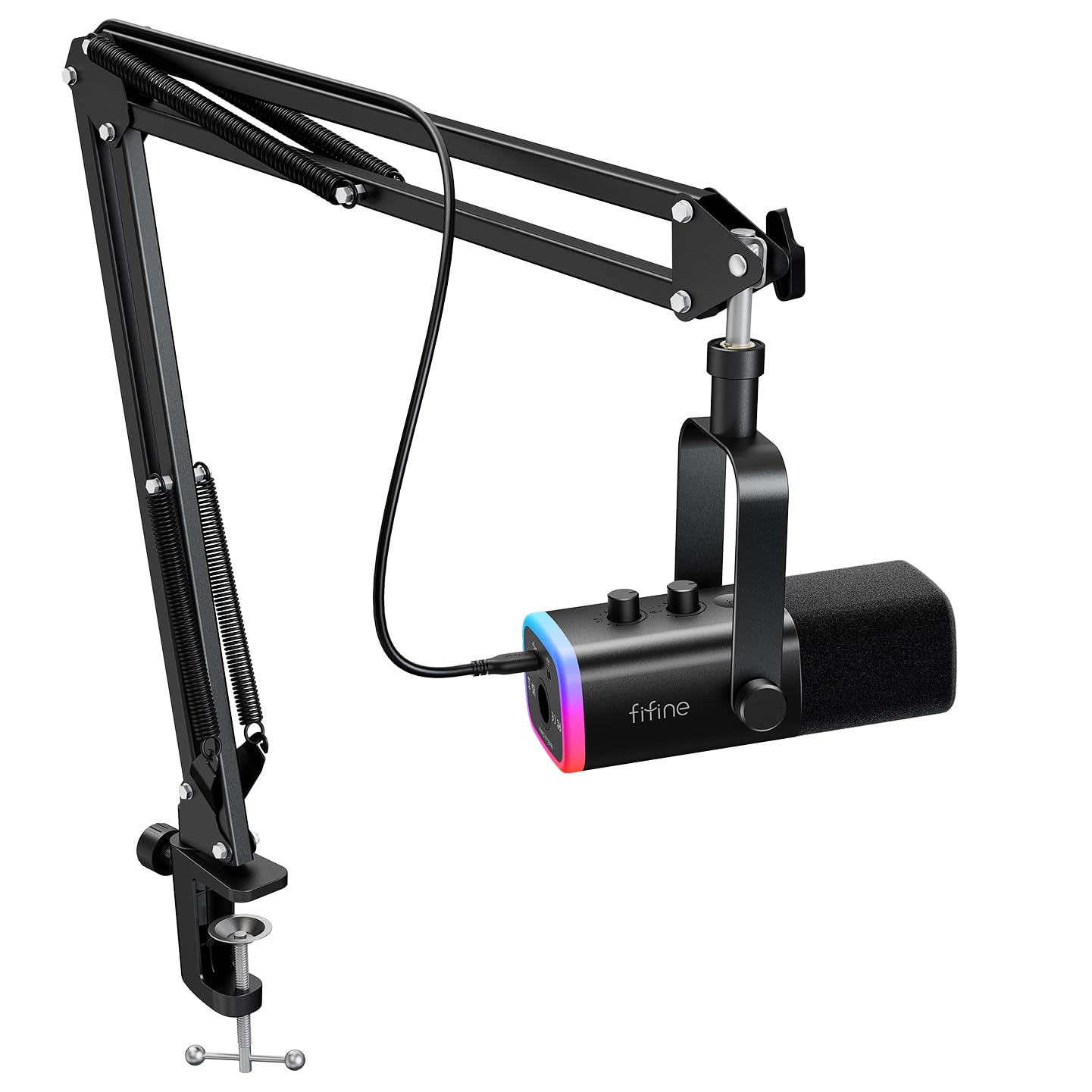
- Includes a boom arm with the dynamic microphone.
- Supports USB and XLR connections.
- Includes mute, gain, and headphone monitoring controls.
Best For: Podcasters who want a dynamic USB/XLR mic with a boom arm in the package.
SteelSeries Alias USB Mic
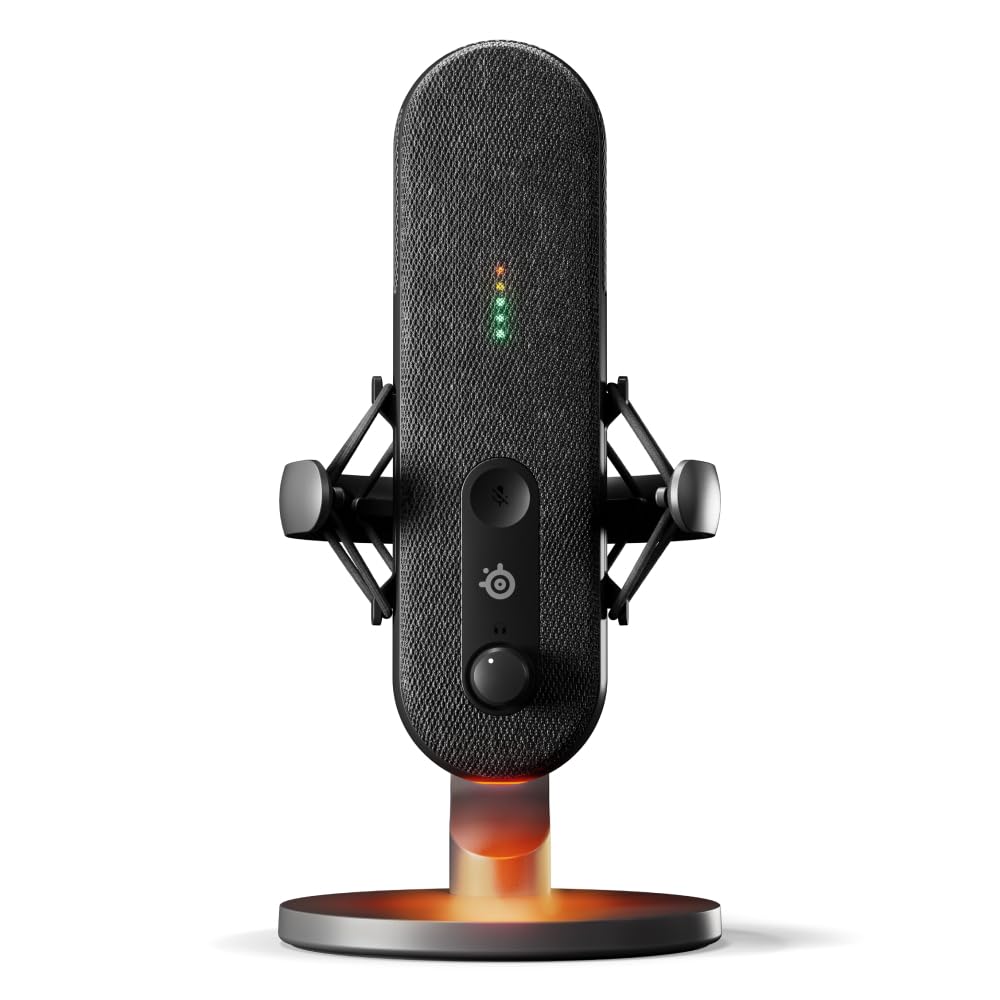
- USB microphone for PC with a cardioid polar pattern.
- LED lighting shows audio levels and mute status.
- Sonar software includes mixing and app routing tools.
Best For: PC podcasters who want USB operation and audio-level and mute status visible on the mic.
FIFINE AmpliGame A6T
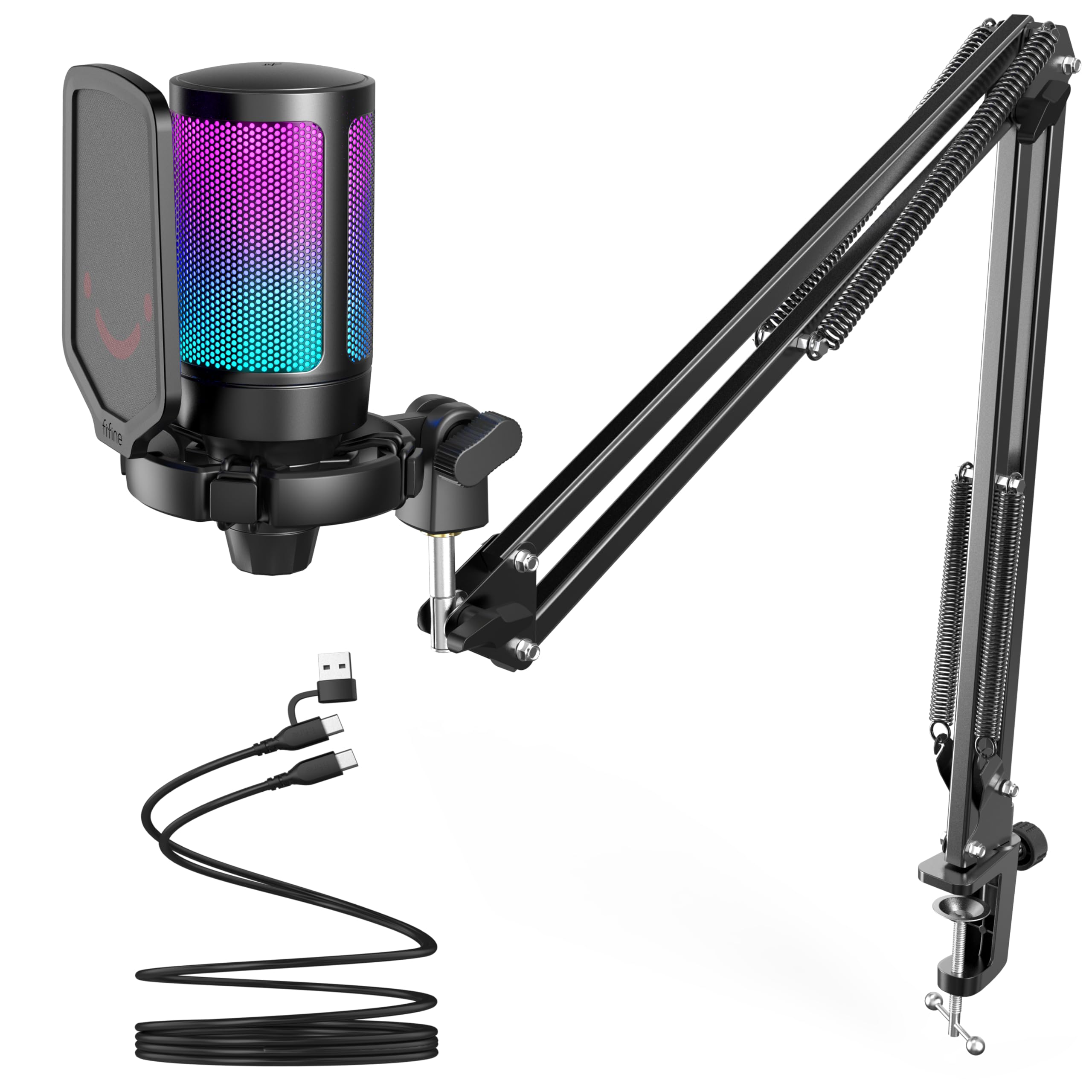
- Includes a boom arm, shock mount, and pop filter.
- Has a touch-mute button and volume knob.
- USB setup is compatible with Windows, Mac OS, and PS4/PS5.
Best For: Podcasters who want a complete USB condenser kit with an adjustable boom arm.
FIFINE T669

- USB condenser microphone kit for recording, podcasting, and voice overs.
- Includes an adjustable arm and shock mount.
- Comes with a double pop filter and 8.2 ft USB cable.
Best For: Podcasters who want a USB condenser microphone bundled with an adjustable arm and pop filters.
USB-C and XLR Starter Pack
Samson Q2U Dynamic USB-C/XLR Microphone
The Samson Q2U is a dynamic handheld microphone with USB-C and XLR connections, so it can fit a direct computer setup or an interface-based workflow. The package includes a tripod desktop stand, extension, clip, windscreen, and both connection cables.
That makes it a practical starting point for a solo voice setup without requiring you to source every basic accessory separately. Its handheld shape may suit close speaking, while the included tripod supports desktop placement.
Check that your computer has the USB-C interface described and that a tripod gives you the positioning you want.
Best For: Podcasters who want two connection options and a starter set of desktop accessories.
| Pros | Cons |
|---|---|
|
|
Choose the Q2U if you value connection flexibility and a useful starter accessory set. USB-C and XLR accommodate different recording setups, and both cables are included.
The handheld format suits close, deliberate speaking, while the tripod provides simple desktop placement. Check whether your computer has the USB-C interface described and whether a desktop tripod gives you the positioning you want.
App-Based Sound and Control Options
MAONO Dynamic Microphone, USB/XLR Podcast PC Microphone with Software, EQ,Tap-to-Mute, Headphone Jack, Gain Knob & Volume Control, Studio Mic for Broadcast, Recording, Streaming & Gaming (PD400X)
The MAONO PD400X pairs a dynamic capsule and cardioid pattern with USB and XLR outputs. Over USB, the Maono Link app offers standard and advanced settings, including EQ, limiter, and compressor adjustments.
A multifunction knob controls mic gain, headphone volume, and monitor mix; a tap-to-mute key has an LED indicator. USB provides a direct computer connection, while XLR can connect to an interface, mixer, or portable PA system.
This suits podcasters who want control as their workflow develops. Check which controls and software features work with your chosen connection.
Best For: Podcasters who want onboard monitoring controls and software adjustments in a dynamic mic.
| Pros | Cons |
|---|---|
|
|
Pick the PD400X when hands-on control and software adjustments matter in a dynamic USB/XLR microphone. It has a 3-in-1 digital knob for mic gain, headphone volume, and monitor mix, plus a tap-to-mute key with an LED indicator.
Over USB, the Maono Link app supports vocal tone and distance selection and adjustments for EQ, limiter, and compressor. Check that the app workflow suits your computer and that you have a suitable stand and cable for your setup.
Preset Modes and Visual EQ
MAONO Dynamic Microphone-XLR USB Podcast Recording Mic: for Vocal Recording, Content Creation, Home Studio, Voiceover, with 192kHz/24bit, Noise Reduction, Mic Gain, Monitoring, Mute (PD300X)
The MAONO PD300X is a dynamic USB/XLR microphone with several software controls for shaping a recording. Maono Link includes a visual EQ panel, limiters, compressors, and high-pass filters, while four preset modes offer different starting points.
A combined knob adjusts gain, headphone volume, and monitoring; the mic also has a mute button and zero-latency monitoring. USB connects to a computer, while XLR supports compatible mixers and other equipment.
This option fits podcasters who plan to make sound adjustments part of their workflow. Check whether you prefer app-based control or simpler operation.
Best For: Podcasters who want selectable sound presets and adjustable processing.
| Pros | Cons |
|---|---|
|
|
Choose the PD300X if presets and adjustable sound processing are central to your podcast workflow. Its USB and XLR options let you connect directly to a computer or through compatible audio equipment, while the software gives you several ways to shape recordings.
That flexibility comes with more setup decisions than a simple plug-in mic. Confirm the included accessories and plan for a stand and cable suited to your recording setup.
XLR Desk Kit With Stand and Cable
MAONO PD100 XLR Podcast Microphone, Cardioid Studio Dynamic Metal Desk Mic | Compatible with Audio Interface, Audio Mixer, Sound Card for Vocal Recording, Streaming, Voiceover, Music, Content Creation
The MAONO PD100 is a cardioid dynamic microphone with an XLR connection and a desktop-oriented kit. It includes a desktop stand, rod extender, heavy round metal base, and a 6.56 ft XLR cable.
The compact metal body uses a top-address pickup approach, so position your voice toward the top of the microphone. Its described uses include podcasting, vocal recording, streaming, and content creation with an audio interface or mixer.
This is a direct fit for an existing XLR desk setup. Confirm that your equipment has an available XLR input and room for the base.
Best For: Podcasters with an XLR interface who want a desktop stand and cable in the package.
| Pros | Cons |
|---|---|
|
|
The PD100 suits a podcaster who already has XLR recording equipment and wants a stand and cable in one package. Its desktop base and extender help bring the mic into position without a separate boom arm.
The tradeoff is a specific connection path: it uses XLR rather than offering a USB option. Check your interface input and make sure the desktop base fits your workspace.
Dynamic Mic With USB Monitoring
FIFINE Dynamic Microphone, XLR/USB Podcast Recording PC Microphone for Vocal Voice-Over Streaming, Studio Metal Mic with Mute, Headphone Jack, Monitoring Volume Control, Windscreen-Amplitank K688
The FIFINE AmpliTank K688 is a metal dynamic microphone with USB and XLR connections, a mute control, gain knob, headphone jack, and monitoring-volume control. Its cardioid pattern is intended to focus on close speech, and the included windscreen and shock mount address plosives and desk vibration.
USB allows direct connection to a computer using the included 8.2 ft cable, while XLR is available for an interface or mixer. The stand, boom arm, and XLR cable are not included, so plan for those if needed.
It suits a compact mic-first purchase with future connection flexibility.
Best For: Podcasters who want USB controls now and an XLR connection for a later setup.
| Pros | Cons |
|---|---|
|
|
Choose the K688 if you want the flexibility of USB today and XLR later, while keeping mute and monitoring controls on the microphone for USB sessions. The included shock mount and windscreen cover two useful recording accessories, but you will need to supply a stand or arm.
Its controls are tied to USB, so check which functions matter to you if you plan to use an XLR chain.
White Dynamic Mic With Dual Connections
FIFINE XLR/USB Gaming Microphone for Streaming Podcasting, PC Computer RGB Mic, with Gain Knob, Mute Button, Monitoring Jack, Gamer Mic for Recording Video Creation-AmpliGame AM8 White
The FIFINE AmpliGame AM8 White is a dynamic microphone with USB and XLR connectivity, plus RGB lighting for a white-themed setup. Over USB, it provides tap-to-mute, a gain knob, headphone jack, and headphone-volume control.
XLR can connect to a mixer or sound card, while USB is intended for PC use. The end-addressing design should face the audio source, and the suggested recording range is 2 to 6 in.
This model suits a desk where direct controls and matching appearance matter. Check whether a stand or arm is included before purchase.
Best For: Podcasters who want USB/XLR connectivity and convenient controls in a white desktop mic.
| Pros | Cons |
|---|---|
|
|
The white AM8 fits podcasters who want a dynamic mic with both connection types and USB-based controls. RGB can be changed or switched off from the mic, while XLR keeps an interface-based setup possible.
Its end-addressing format calls for deliberate placement toward the speaker, and the suggested close recording range should inform desk positioning. Confirm the mounting hardware and remember that the controls are available over USB.
Dynamic Mic With Included Boom Arm
FIFINE XLR/USB Gaming Microphone Set, Dynamic PC Mic for Streaming Podcasting, Computer RGB Mic Kit with Boom Arm Stand, Mute Button, Headphones Jack, for Recording Vocal Voice-Over-AmpliGame AM8T
The FIFINE AmpliGame AM8T combines a dynamic USB/XLR microphone with a boom arm stand, making it a practical option for a desk where a desktop tripod would take up space. USB supports plug-and-play use with a computer, and XLR connects to a mixer or sound card.
The mic includes a mute button, gain knob, headphone jack, and monitoring-volume control, along with customizable RGB lighting. A C-clamp fits desks under 2 inches thick.
The package does not include an XLR cable, so budget for one if using that connection. Check desk thickness and cable needs first.
Best For: Podcasters who want a dynamic USB/XLR mic with a boom arm in the package.
| Pros | Cons |
|---|---|
|
|
Pick the AM8T if you want an arm-mounted dynamic microphone and the option to record over USB or XLR. The included arm, mute, gain, and monitoring controls make the desk setup more complete than a mic-only package.
The XLR path still requires a separate cable, and the clamp has a stated desk-thickness limit. Check both before buying, especially if you intend to route the mic through an interface.
LED Level and Mute Feedback
SteelSeries Alias USB Mic for PC — 3x Bigger Capsule for Gaming, Streaming and Podcasting — Sonar for Streamers Audio Software — AI Noise Cancelling — LED Mute & Level Monitoring — Shock Mount
The SteelSeries Alias is a USB microphone for PC with a cardioid pattern, integrated shock mount, and LED indicators for audio level and mute status. Its capsule is described as up to three times bigger than other mics, and the free Sonar software offers mixing, app routing, and AI noise cancellation.
Customizable RGB downlighting adds a visual option. The shock mount works with the included desktop stand or a separately sold boom arm.
This setup suits someone who wants software tools and visual feedback without an XLR chain. Check that USB and the included stand fit your recording space.
Best For: PC podcasters who want USB operation and audio-level and mute status visible on the mic.
| Pros | Cons |
|---|---|
|
|
Choose the Alias if your podcast setup is PC-based and you want level and mute feedback visible at the microphone. The desktop stand and integrated shock mount support simple placement, while Sonar adds software mixing and routing.
XLR connectivity is not specified, so this is a less direct fit for someone building around an analog interface. Check that the included stand works with your desk and speaking position.
Boom Arm Kit With Touch Mute
FIFINE Gaming PC USB Microphone, Podcast Condenser Mic with Boom Arm, Pop Filter, Mute Button for Streaming, Twitch, Online Chat, RGB Computer Mic for PS4/5 PC Gamer Youtuber-AmpliGame A6T
The FIFINE AmpliGame A6T is a USB condenser microphone kit built around an adjustable boom arm, shock mount, and detachable pop filter. Its cardioid pattern focuses on front-facing voice, and a touch-mute button and volume knob provide quick control.
The 8.2 ft USB-C cable supports a PC or Mac setup, and the arm can be folded away when it is not in use. The C-clamp mounts to desks up to 2 inches thick.
This kit fits podcasters who want to bring a mic close without adding a separate arm. Check computer compatibility and desk thickness.
Best For: Podcasters who want a complete USB condenser kit with an adjustable boom arm.
| Pros | Cons |
|---|---|
|
|
The A6T is a useful fit if you want a USB condenser and boom arm in one package, with the option to move the mic away after recording. The touch mute and volume knob keep basic adjustments within reach.
Its desk clamp and USB connection define the setup, so check your desk thickness and whether USB-only suits your recording plans. The included pop filter and shock mount reduce the need to source those pieces separately.
Adjustable Arm Kit With Double Pop Filter
FIFINE Studio Condenser USB Microphone Computer PC Microphone Kit with Adjustable Boom Arm Stand Shock Mount for Instruments Voice Overs Recording Podcasting YouTube Vocal Gaming Streaming-T669
The FIFINE T669 pairs a USB condenser microphone with an adjustable boom arm, shock mount, and double pop filter. It connects directly to a PC or laptop without additional hardware or drivers, and its cardioid capsule is designed to capture sound from the front.
The arm can extend across a desk, while the included C-clamp or detachable desktop mount gives you mounting options. The package also includes an 8.2 ft USB cable.
This kit suits a home podcast desk where flexible positioning and bundled accessories are priorities. Check desk clearance and USB compatibility before choosing it.
Best For: Podcasters who want a USB condenser microphone bundled with an adjustable arm and pop filters.
| Pros | Cons |
|---|---|
|
|
Choose the T669 if a USB condenser arm kit and its included pop filtering are a close match for your desk setup. Its adjustable arm and alternative desktop mount offer more placement options than a fixed stand, and the USB connection keeps the setup direct.
It is not an Xbox option, and monitoring controls are not specified. Check mounting clearance and whether the included controls meet your recording needs.
How to Choose Microphones For Podcasting
How We Picked Best Microphones for Podcasting
We prioritized microphones with direct podcasting relevance and compared the actual recording setup each one supports. The shortlist includes dynamic and condenser designs, USB for direct computer connection, XLR for interface-based workflows, and combo models that offer both paths.
Included accessories also change the practical fit. Some options bundle a desktop tripod or stand, while others add a boom arm, shock mount, pop filter, or monitoring controls.
We favored distinct use cases such as a beginner USB/XLR mic, a software-adjustable dynamic mic, and a ready-to-position arm kit.
Comparing Podcast Microphones
The first decision is connection type. USB microphones such as the SteelSeries Alias connect directly to a computer, while XLR models such as the MAONO PD100 need compatible interface equipment.
USB/XLR choices including the Samson Q2U, MAONO PD400X, and FIFINE K688 leave both approaches available.
Dynamic microphones dominate the selected options, with the FIFINE K688, MAONO PD400X, and Samson Q2U offering dynamic designs. The FIFINE T683 and A6T instead use condenser designs.
Consider your room, microphone placement, and willingness to manage sound settings; the records do not establish that one capsule type is universally better.
Bundles differ in what you need to buy separately. The Samson Q2U includes both USB-C and XLR cables, the PD100 includes an XLR cable and desktop stand, and the AM8T includes a boom arm but not an XLR cable.
The K688 includes a shock mount and USB cable but no stand or boom arm. Compare package contents with the gear already on your desk.
For podcast sound control, check how each mic handles monitoring and adjustment. The PD400X and PD300X bring app-based EQ and processing, while the AM8T and K688 put mute, gain, and headphone functions on the mic over USB.
The SteelSeries Alias adds LED level and mute status with Sonar software. These features make different workflows easier; they do not remove the need to position a mic thoughtfully.
| Product | Standout features | Best for |
|---|---|---|
| Samson Q2U Dynamic USB-C/XLR MicrophoneCheck Price |
| Podcasters who want two connection options and a starter set of desktop accessories. |
| MAONO PD400XCheck Price |
| Podcasters who want onboard monitoring controls and software adjustments in a dynamic mic. |
| MAONO PD300XCheck Price |
| Podcasters who want selectable sound presets and adjustable processing. |
| MAONO PD100Check Price |
| Podcasters with an XLR interface who want a desktop stand and cable in the package. |
| FIFINE AmpliTank K688Check Price |
| Podcasters who want USB controls now and an XLR connection for a later setup. |
| FIFINE AmpliGame AM8 WhiteCheck Price |
| Podcasters who want USB/XLR connectivity and convenient controls in a white desktop mic. |
| FIFINE AmpliGame AM8TCheck Price |
| Podcasters who want a dynamic USB/XLR mic with a boom arm in the package. |
| SteelSeries Alias USB MicCheck Price |
| PC podcasters who want USB operation and audio-level and mute status visible on the mic. |
| FIFINE AmpliGame A6TCheck Price |
| Podcasters who want a complete USB condenser kit with an adjustable boom arm. |
| FIFINE T669Check Price |
| Podcasters who want a USB condenser microphone bundled with an adjustable arm and pop filters. |
Choosing a Podcast Mic for Your Desk
An arm kit can free desk surface and bring the microphone closer to the speaker. The A6T and T683 include USB condenser arms, while the AM8T pairs a dynamic mic with an arm and dual USB/XLR connectivity.
Check clamp limits: the A6T and AM8T specify support for desks up to 2 inches or under 2 inches thick, and the T683 also gives a 2 inch limit.
Desktop stands suit a more fixed recording position. The Samson Q2U and MAONO PD100 include desktop stands, while the SteelSeries Alias includes a desktop stand and integrated shock mount.
Before choosing a desktop format, consider whether it can sit close enough to your speaking position without getting in the way.
Who Should Buy Which Podcast Microphone?
For a first mic with two connection paths and included cables, consider the Samson Q2U. Podcasters who want software tone adjustments can compare the MAONO PD400X and PD300X.
If an XLR interface is already part of the setup, the MAONO PD100 supplies a desktop stand and cable.
For a USB condenser arm kit, the FIFINE A6T and T683 provide different control and accessory combinations. The dynamic FIFINE AM8T adds an arm and USB/XLR options, while the K688 keeps USB monitoring controls and XLR connectivity in a mic-first package that requires a separately sourced stand.
Match the choice to your desk, interface, and preferred recording workflow.