The best office headsets under 100 balance call controls, comfort, and connections that suit your work setup. These five picks cover wireless multipoint options and a wired alternative, so choose by how you take calls and move between devices.
Quick Top Products
JLab Go Work Wireless Headset

- Bluetooth multipoint connects two devices simultaneously.
- Dual microphones support clearer calls and environmental sound reduction.
- Includes a wired cable and is rated for 45+ hours of playtime.
Best For: A hybrid worker switching between a computer and phone who wants both wireless and wired options.

JLab Go Work Pop

- Rated for 50+ hours of wireless playtime.
- Bluetooth multipoint connects two devices simultaneously.
- The boom mic flips up to mute.
Best For: A desk worker who wants a lightweight on ear headset with a rotating boom mic and two-device Bluetooth.
JLab JBuds Work Wireless Headset

- Over ear design with a 60+ hour playtime rating.
- Bluetooth multipoint supports two connected devices.
- Includes a cable for wired use and has a red mute indicator.
Best For: Someone seeking over ear coverage and long rated runtime for frequent calls across two devices.
SteelSeries Arctis Nova 3X Wireless
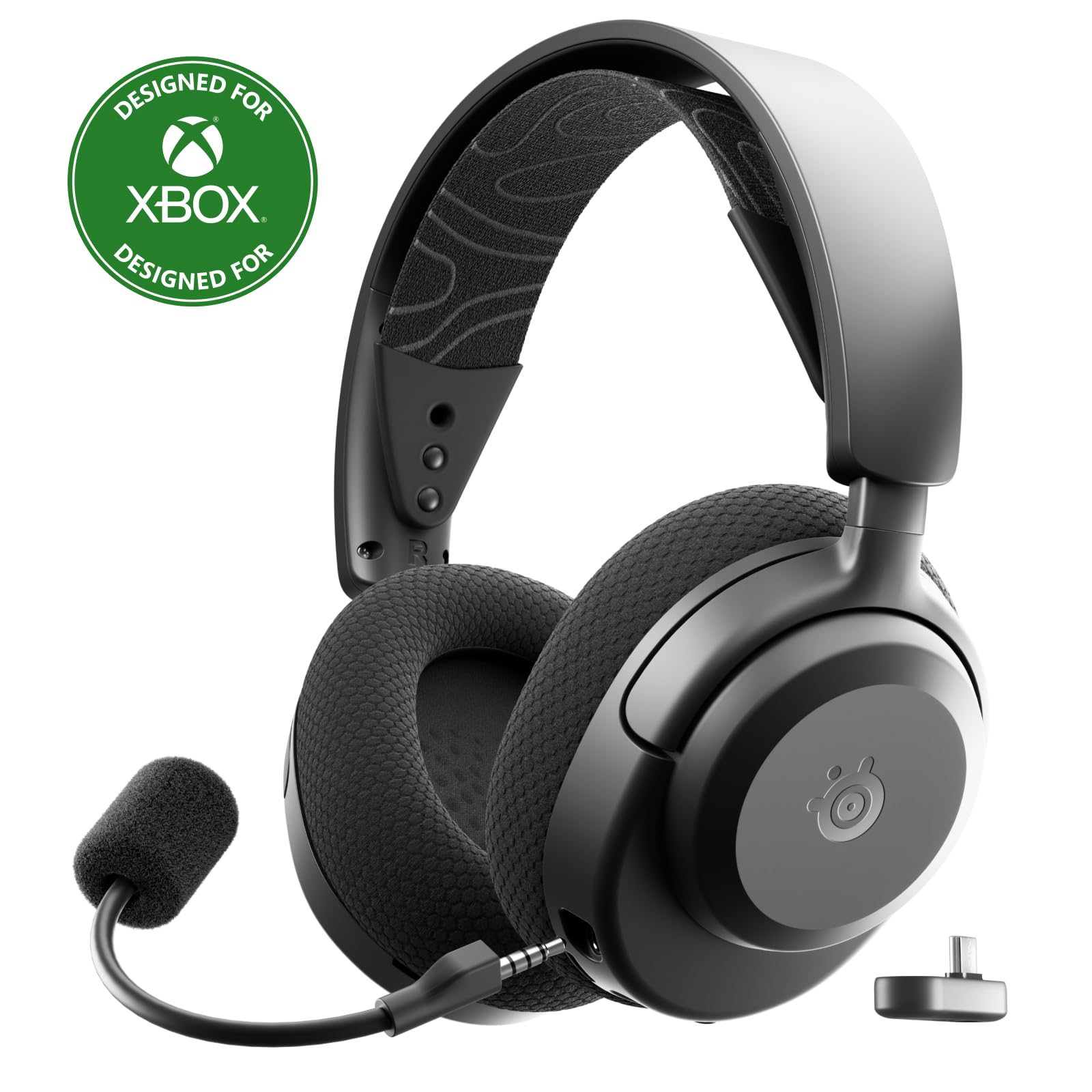
- Supports 2.4GHz and Bluetooth connections across multiple platforms.
- Rated for up to 40 hours of battery life.
- USB-C dongle supports plug and play platform switching.
Best For: A worker who also games and wants one wireless headset across a range of platforms.
JLab JBuddies Studio 2 Wired
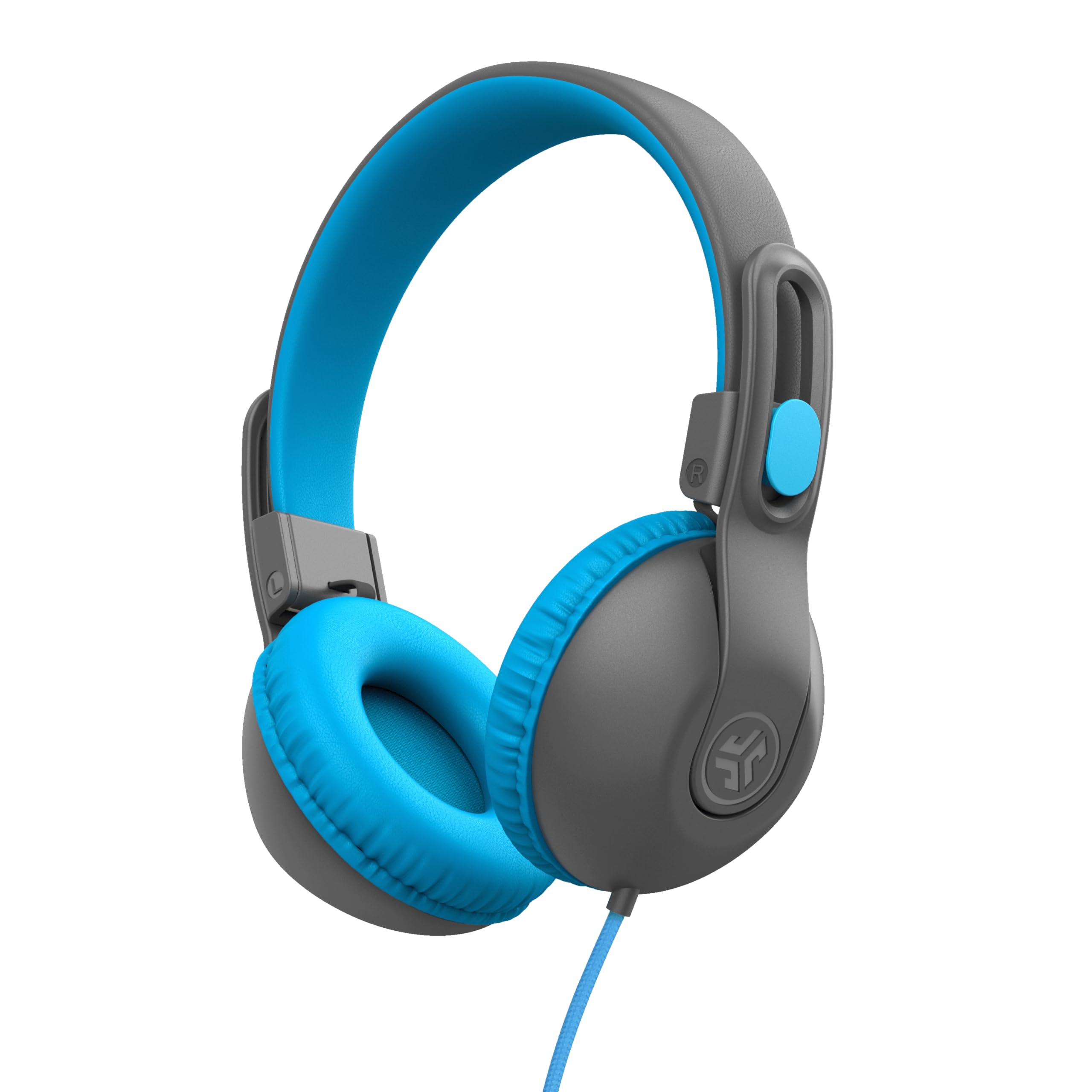
- A 3.5 mm wired connection needs no charging or pairing.
- The built in volume regulator is designed to cap sound at 85 dB.
- The folding headset is intended for ages 6–16.
Best For: A young student who needs wired headphones with a built in microphone for class calls.
Easy Switching Between Calls and Devices
JLab Go Work Wireless Headsets with Microphone, 45+ Playtime PC Bluetooth Headset and Multipoint Connect to Laptop Computer and Mobile, Wired or Wireless Headphones (1 Pack)
The JLab Go Work is an office focused on ear headset with a boom mic, Bluetooth multipoint, and a wired fallback. It can connect to two devices at once, which is useful when a work call and a personal phone share your attention.
The dual microphones are designed to keep your voice clear while reducing surrounding sound, and a red LED at the boom tip indicates mute status. Its 45+ hours of playtime and Cloud Foam earcups suit long stretches between charges.
The tradeoff is its on ear fit, which may not be the right feel for everyone over a full workday.
Best For: A hybrid worker switching between a computer and phone who wants both wireless and wired options.
| Pros | Cons |
|---|---|
|
|
Choose this headset if you move between a computer and phone and want the option to plug in. Its boom mic, mute indicator, and dual-device connection speak directly to call-heavy work.
Check that an on ear fit is comfortable for your schedule, and confirm which wired connection suits your computer or phone. Its 45+ hour rating is a practical advantage when charging between workdays is inconvenient.
Lightweight Wireless Calls for a Tight Budget
JLab Go Work Pop, On-Ear Wireless Headset, Bluetooth Multipoint, Noise Canceling Boom Mic, Black
The Go Work Pop keeps the office headset setup simple: an on ear wireless design, a rotating boom mic, and Bluetooth multipoint for two devices. Its MEMS microphone is described as noise canceling, and the mic flips up to mute when you need a quick privacy control.
Voice and Music EQ modes make it possible to switch between calls and general listening. JLab rates playtime at 50+ hours, with USB-C charging.
This pick makes sense for everyday calls and a portable work setup; its on ear fit and lack of a wired option in the supplied details are worth checking against your routine.
Best For: A desk worker who wants a lightweight on ear headset with a rotating boom mic and two-device Bluetooth.
| Pros | Cons |
|---|---|
|
|
This is a sensible fit if you want a compact wireless headset for a computer and phone, with a boom mic that doubles as a mute control. Its 50+ hour rating makes it a long-lasting option, and it can connect to a computer and mobile device at the same time.
Before buying, check the comfort of an on-ear design and whether you need wired audio for your work computer.
Over Ear Coverage and Long Rated Runtime
JLab JBuds Work Wireless Headset with Microphone, Over Ear Computer Headsets, Wired or Wireless Headphones with 60+ Playtime, Multipoint Bluetooth Headset for Laptop Teams, Office with Mic (16 Pack)
The JBuds Work is the over ear option among these JLab office headsets. It pairs wirelessly with two devices at once and also includes a USB-C to 3.5mm cable for wired use.
Its dual microphones are designed for clear calls, while the boom mic can be flipped up to hang up or down to answer. A red LED indicates mute status, and the headset offers Voice and Music EQ modes.
The 60+ hour worktime rating is its main practical draw. The supplied product title identifies a 16 pack, so confirm the package quantity if you need a single headset.
Best For: Someone seeking over ear coverage and long rated runtime for frequent calls across two devices.
| Pros | Cons |
|---|---|
|
|
Consider this model if you prefer over ear coverage and want the longer 60+ hour rating, dual-device Bluetooth, and a wired fallback. The distinguishing issue is package size: its title says 16 pack, so it may not suit an individual purchase.
Confirm the quantity and the included headset count before ordering. For a single headset with a simpler package description, the Go Work or Go Work Pop may be easier to evaluate.
Gaming Headset for Work and Play
SteelSeries Arctis Nova 3X Wireless Multi-Platform Gaming Headset — Mobile App Control — 40 HR Battery — Neodymium Magnetic Drivers — 2.4GHz/Bluetooth — Xbox, PS5, PC, Switch, Mobile — Black
The Arctis Nova 3X is a multi platform gaming headset that can also serve for computer calls and listening. It connects through 2.4GHz or Bluetooth, with a USB-C dongle for swapping among Xbox, PC, PlayStation, Switch, phones, and tablets.
A mobile app offers more than 200 game presets, and the headset has neodymium magnetic drivers. SteelSeries gives a 40 hour battery rating and says a 15 minute fast charge provides up to 9 hours of playback.
Its game focused feature set may be unnecessary for office only use, and the supplied details do not specify microphone controls or call noise reduction.
Best For: A worker who also games and wants one wireless headset across a range of platforms.
| Pros | Cons |
|---|---|
|
|
Pick the Arctis Nova 3X if your work headset also needs to handle gaming across consoles and computers. Its 2.4GHz and Bluetooth support, USB-C dongle, and quick-charge figure are useful for a mixed setup.
For a call-centered workday, the JLab models give more explicit boom mic and mute details. Check microphone behavior and controls before choosing this headset specifically for meetings.
Wired Headset for Students and Shared Workspaces
JLab JBuddies Studio 2 On-Ear Kids Wired Headphones, Grey/Blue, Toddler Headphones, Kid Safe, Studio Volume Safe, Volume Limiter, Folding, Adjustable, Noise Isolation, with Mic
The JBuddies Studio 2 is a wired, on ear option intended for ages 6–16. It connects through a 3.5 mm jack, so it does not need Bluetooth pairing or charging.
A built in volume regulator is designed to keep audio from exceeding 85 dB, and the adjustable folding design can fit in a backpack. The braided cord has an inline microphone for calls and track controls.
This is a child focused alternative for remote learning rather than a conventional adult office headset. Check device compatibility and fit, especially if the headset will be used by an older student.
Best For: A young student who needs wired headphones with a built in microphone for class calls.
| Pros | Cons |
|---|---|
|
|
This fits a narrow office adjacent use: a child attending remote classes or video calls who needs a built in mic and a simple wired connection. It does not offer the dual-device switching or office oriented boom controls of the JLab work headsets.
Check the student's fit and whether the laptop or tablet has a 3.5 mm port. For adult calls, choose a headset with explicitly described call controls and fit.
How to Choose Office Headsets Under 100
How We Picked Best Office Headsets Under 100
We prioritized candidates that directly describe features useful for work calls: a microphone suited to speaking, mute or call controls, comfort details, and ways to connect to a computer or phone. The JLab Go Work, Go Work Pop, and JBuds Work spell out boom mic and multipoint features.
The SteelSeries Arctis Nova 3X offers broader platform support but is gaming oriented. The wired JBuddies Studio 2 is included as a specific remote learning option for children, not as a typical adult work headset.
Comparing Office Headsets for Calls and Work
The clearest differences are fit, connection choices, and intended use. The Go Work is on ear and includes a wired cable; the Go Work Pop is also on ear, with a 50+ hour rating and flip to mute.
The over ear JBuds Work has a 60+ hour rating, but its offer title says 16 pack, so package quantity deserves attention. The Arctis Nova 3X adds gaming platforms and app presets.
The JBuddies Studio 2 is wired and child sized.
| Product | Standout features | Best for |
|---|---|---|
| JLab Go Work Wireless HeadsetCheck Price |
| A hybrid worker switching between a computer and phone who wants both wireless and wired options. |
| JLab Go Work PopCheck Price |
| A desk worker who wants a lightweight on ear headset with a rotating boom mic and two-device Bluetooth. |
| JLab JBuds Work Wireless HeadsetCheck Price |
| Someone seeking over ear coverage and long rated runtime for frequent calls across two devices. |
| SteelSeries Arctis Nova 3X WirelessCheck Price |
| A worker who also games and wants one wireless headset across a range of platforms. |
| JLab JBuddies Studio 2 WiredCheck Price |
| A young student who needs wired headphones with a built in microphone for class calls. |
Choosing a Wireless Headset for Office Calls
Multipoint is useful when one headset needs to stay connected to a computer and phone. Both Go Work models and JBuds Work describe two-device Bluetooth connections.
Check whether a headset also has a wired fallback if your computer setup or meeting workflow needs one: the Go Work and JBuds Work include a USB-C to 3.5 mm cable, while wired support is not specified for the Go Work Pop. Battery figures are product ratings, so consider how often you are willing to charge.
Fit, Microphone Controls, and Daily Use
On ear and over ear designs feel different, so choose by the coverage you prefer for longer calls. The Go Work models have rotating boom microphones, and the JBuds Work adds a visible mute indicator plus boom movement for answering or ending calls.
The SteelSeries headset provides wide platform switching and fast charging, but its supplied details do not establish office call controls. Check fit and microphone controls against the meeting apps and devices you use.
Who Should Buy Which Office Headset?
For a straightforward computer and phone setup with both wireless and wired use, consider the JLab Go Work. The Go Work Pop suits a portable on ear setup with a longer rated runtime and flip to mute.
The JBuds Work is the over ear choice with the longest stated runtime here, provided the 16 pack offer matches your needs. Choose the Arctis Nova 3X when gaming platforms matter alongside work.
The JBuddies Studio 2 is a specialized wired option for children attending remote classes.